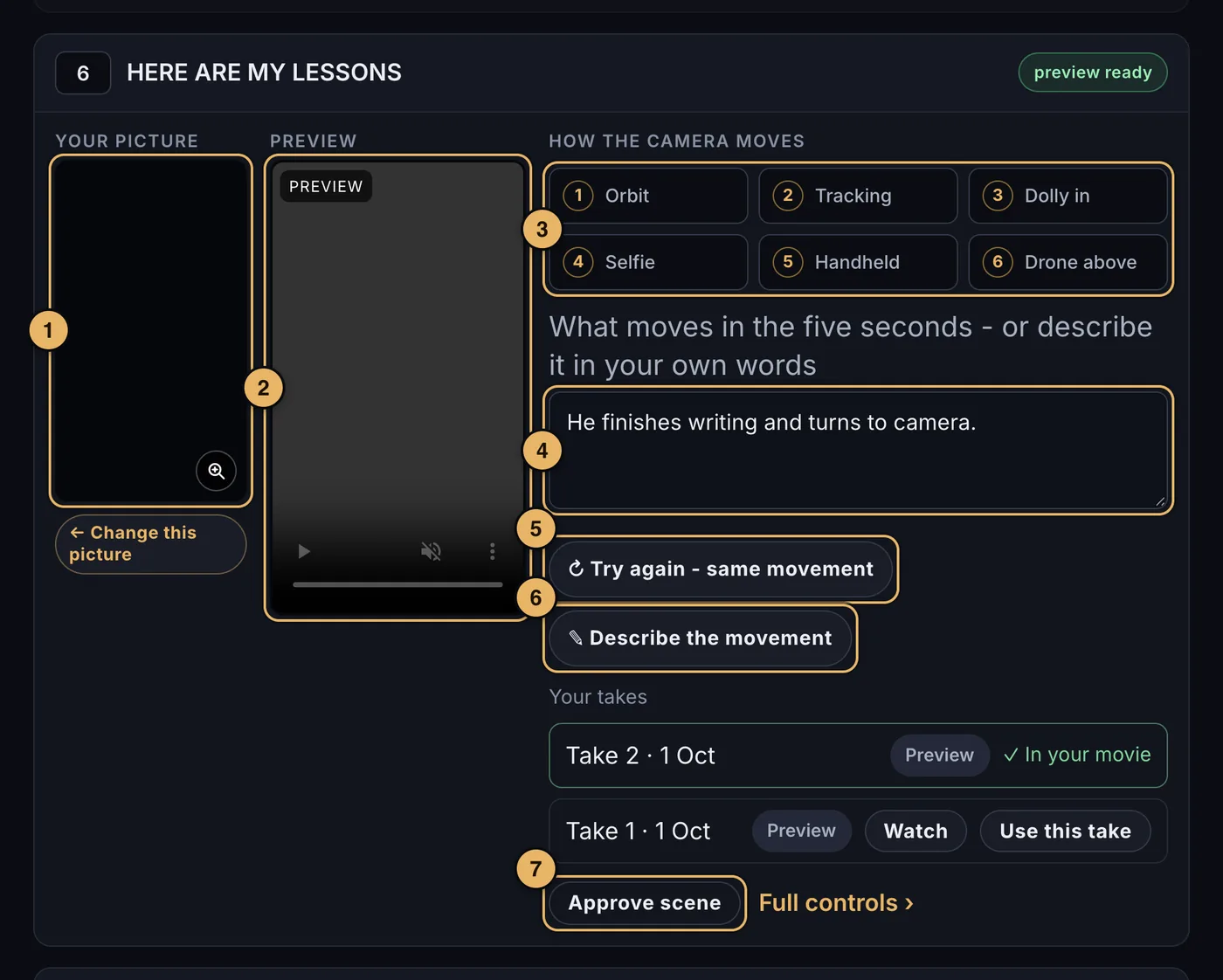
- Your picture. The picture chosen on page 6. ← Change this picture takes you back to it.
- The preview. The scene’s clip, marked Preview - or Final clip once your export has made it.
- The six camera moves. Tap one: 1 orbit (the camera circles you), 2 tracking (the camera travels with you), 3 dolly in (the camera races in low over the ground to you), 4 selfie (you step back into the group and the flash fires), 5 handheld (shaky, like live news), 6 drone above (you look up as the view circles). Tap it again to let the movie choose.
- What moves in the five seconds. Your own words for the movement. A camera move you tap is written here as camera movement 3, and you can type it yourself.
- Make the preview. Turns the picture into a five-second preview, in about 40 seconds. Once the scene has one, it says ↻ Try again - same movement.
- ✎ Describe the movement. Say how it should move instead - tap an idea or type your own - then press Generate new preview.
- Approve scene. Marks the scene as finished. Approved scenes fade back. On an approved scene the button says Un-approve.
A scene with no picture says needs a picture first: go back to page 6 and choose one.
Every take you make is kept. Under the preview, Watch plays an older take and Use this take puts it back in your movie.
Previews and final clips
A preview is a quick motion sketch of a scene, made in about 40 seconds. Make as many as you need to get the movement right: each movie includes 75 previews, and the counter at the top of the page says how many are left. Your drafts are built from your previews.
When you press Export Final Movie on page 9, every scene’s final clip is made with our best video model, from the same picture and the same words. A final clip may move a little differently from its preview. Each movie includes 35 final clips.
The opening and closing scenes
They have a fixed walk toward the camera. On the opening scene, How you walk in the five seconds can be changed in your own words. Make the preview makes the scene’s preview from all three shots; once it has one, it says Make a new preview.
Building the movie
When every scene is approved, press Create 1st Draft of Vision Movie at the foot of the page and we put the scenes, captions and music together into your first draft.
- Building takes up to 15 minutes.
- You do not have to wait. We email you the moment the draft is ready.
- When it is ready, the draft is on page 9.
If something goes wrong here
If the red button stays dull, a scene is not yet approved - the note above it tells you how many. See also Waiting and Limits.